
Enable Bluetooth in Device Settings
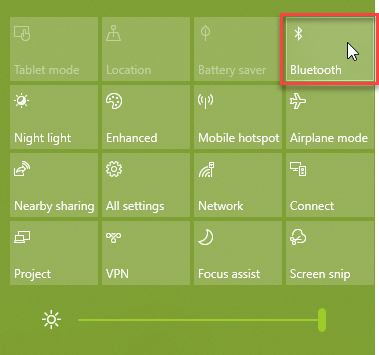
Step 1 - Click on the Notification Icon next to the Time on the Taskbar:

Step 2 - Right Click the Bluetooth icon:
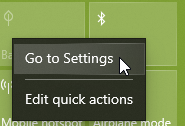
Step 3 - Click 'Go to Settings:'
Step 4 - Enable Bluetooth by clicking on the Slider:
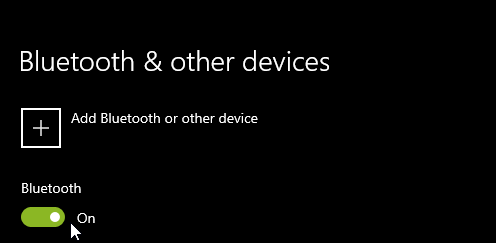
Step 5 - Open the lid to the AirPod Pro case and click 'Add Bluetooth or other device:'
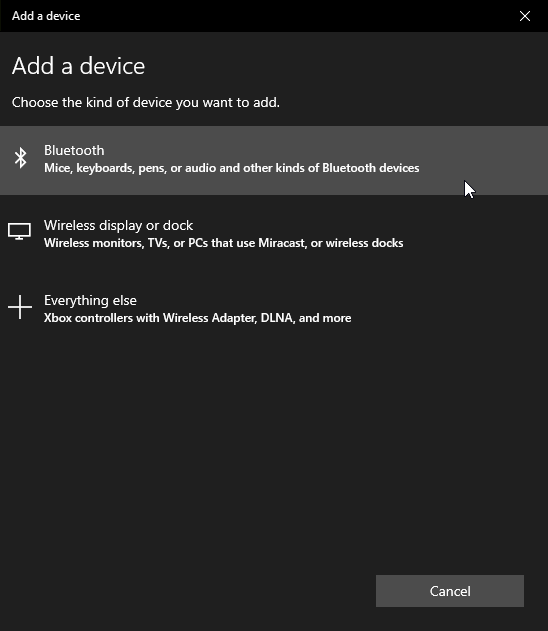
Step 6 - Add 'AirPods Pro' from the search list:
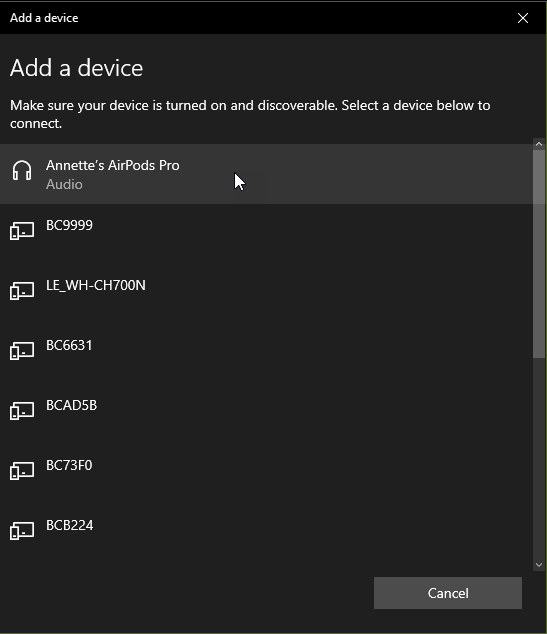
Step 7 - Your device is now ready to go:

Comments
Please sign in to leave a comment.