
Overview
After you have completed your NBME Secure Browser Self-Certification, follow these steps on exam day to take your exam.
Taking the NBME Exam on your Mac Laptop
1. Restart your laptop or close all running applications.
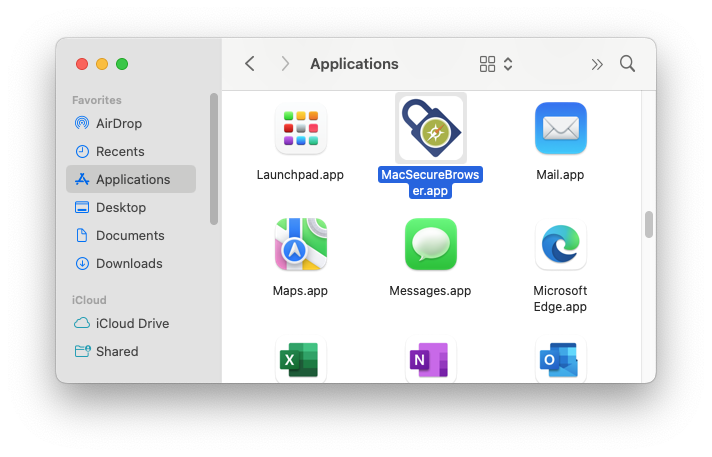
2. Once all applications are closed, open the MacSecureBrowser.app on your laptop.
- Open Finder and click on Applications
- Look for MacSecureBrowser.app in the list of Applications
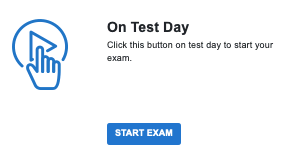
2. Click on Start Exam to begin
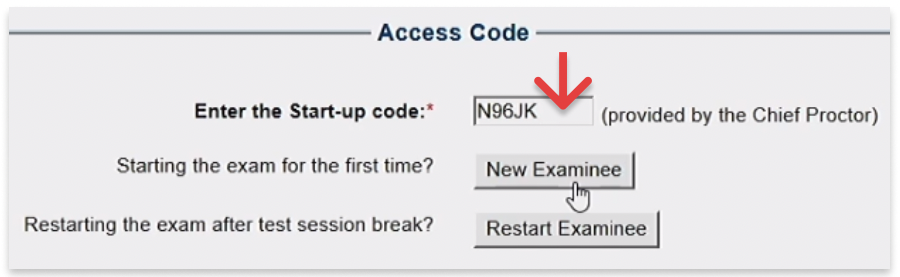
3. Enter the Start-Up code provided by the Chief Proctor and click New Examinee to proceed
4. Enter your information into the form
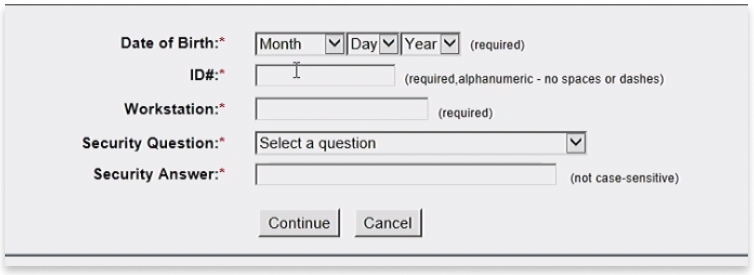
- Your ID# is your NUID
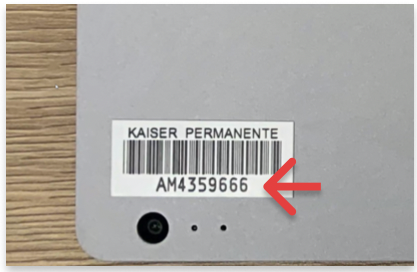
- Your Workstation is the AM# located on the lid of your laptop
5. Once you complete the form, click Continue to proceed.
You're ready to start the exam!
If you receive any errors or run into issues, please notify your proctor.
Comments
Please sign in to leave a comment.